DSTV Extra View Setup Guide for Multi-Storey Gauteng Homes
DSTV Pro Installers Team8 min read
Extra View is brilliant when it works and infuriating when it does not. The idea — link two or three decoders to one MultiChoice subscription so every room in the house can watch independent channels for the price of one Premium package — has been around for years. The catch is that a proper Extra View install across a multi-storey home involves more planning than most DIY guides let on. Getting it right in a three-storey Fourways or Bryanston home is a different beast to a single-storey Moreleta Park bungalow.
Here is how we actually approach these installs in 2026, and what you should expect if you are booking one.
How Extra View works
Extra View is a hardware and subscription-level linking of decoders. You have a primary Explora (normally in the main lounge) and one or two secondary decoders (usually an Explora 2A or an older Explora 3) in other rooms. The primary and secondaries are linked by a heartbeat cable — a dedicated RG6 coaxial run that carries subscription-authentication signals between the units.
On the MultiChoice side, you pay a single Extra View fee per linked decoder (much cheaper than a second Premium subscription) and both units can watch their own content independently — one family member watching SuperSport in the lounge, another watching Food Network in the bedroom, both on the same account.
The cabling challenge in multi-storey homes
The heartbeat cable is where multi-storey installs get tricky. In a single-floor home, a 10-metre RG6 run from lounge to bedroom is straightforward. In a double or triple-storey Fourways home, we are talking 25-40 metres of cable, often needing to travel vertically between floors and horizontally across long passageways.
Two approaches, depending on the house.
Approach 1 — Existing conduit
If the home was built with pre-installed conduit (most post-2005 homes in Equestria, Silver Lakes, newer Fourways estates, and similar developments have this), we fish the new cable through the existing conduit. This is the cleanest possible result — zero surface-mounted trunking, no drilling through architraves, cable invisible from any room. A conduit-fed heartbeat run usually adds 45-60 minutes to the install.
Approach 2 — Surface-mount trunking
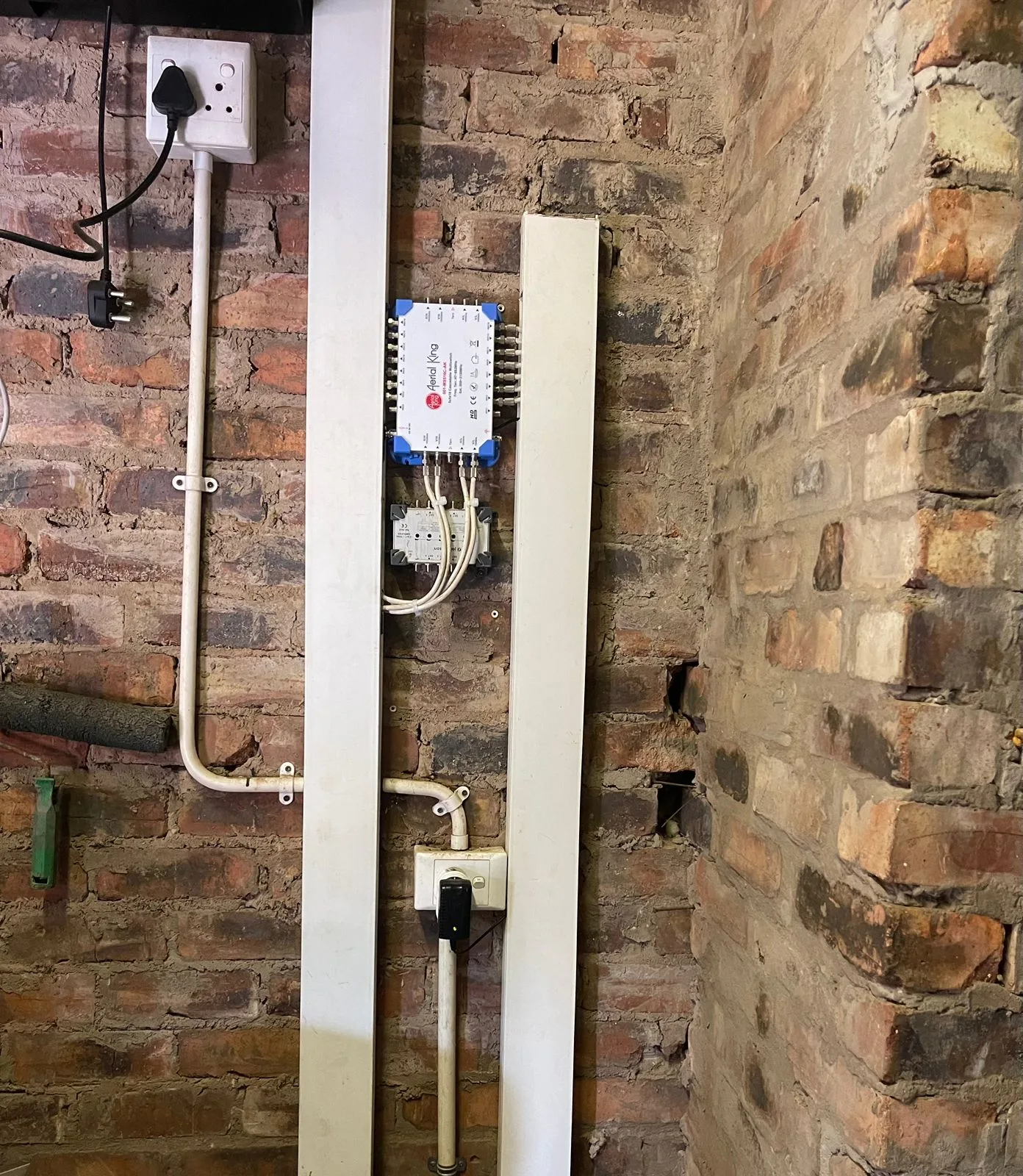
Where there is no pre-existing conduit — typical in older Bryanston and Parkhurst homes — we run surface-mount white PVC trunking along skirting boards and ceiling cornices, following the natural architectural lines. Done properly, it is almost invisible at arm's length. Done poorly, it looks like a snake tried to climb the wall. The tell for a proper installer is whether they cut the trunking at 45-degree mitres at corners — good trunking looks like it was always meant to be there.
A surface-mount heartbeat run in a typical double-storey Moreleta Park home adds 60-90 minutes to the install. Budget accordingly.
Signal split loss — why it matters
Every time you split a satellite signal — to feed two decoders, for example, or to run Extra View — you lose a bit of signal strength. A passive splitter costs you about 3.5 dB per split, which is meaningful on a Gauteng rain-fade margin. For a 2-decoder Extra View setup, a passive splitter is usually fine. For a 3-decoder setup, we strongly recommend an active multiswitch — it amplifies the signal so each decoder sees a clean feed regardless of how many are connected.
This is especially important in multi-storey homes where cable runs are long and every dB counts. A well-set-up 3-decoder Extra View on a proper multiswitch will see the same signal quality on the top-floor bedroom as on the ground-floor lounge.
Step-by-step — what a proper install looks like
- Site walk first. Before any cable is run, the technician walks every room with you to confirm decoder positions, TV heights, and plug-socket proximity. Five minutes here saves re-drilling later.
- Plan the cable routes. We sketch the cable runs on paper or a phone note — where each run starts, where it enters and exits each floor, and where the terminations land.
- Install the primary decoder and its coax run. The primary Explora feeds off the main dish via a Smart LNB or a multiswitch output.
- Run the heartbeat cable to each secondary. RG6 with compression F-connectors at both ends. Weather-sealed where it passes outdoors.
- Install the secondary decoders and pair each one to the primary via the Extra View setup menu.
- Link the subscription — this happens on the MultiChoice side, either via the self-service USSD or through a technician's accredited portal. Both secondaries must be active on your account before any signal appears.
- Test every channel, every room. Independent viewing test — one channel on the primary, a different channel on each secondary, all at the same time, for at least ten minutes.
Common multi-storey gotchas
- Lightning protection — a long cable run between floors is effectively an antenna. A proper install includes a lightning arrestor on the heartbeat cable where it enters the building.
- Decoder placement and ventilation — do not close a decoder inside a sealed cabinet without ventilation. Explora decoders throw real heat and thermal cycling kills them. A perforated-door media cabinet or a cabinet fan is money well spent.
- Pairing order matters — the primary must be the primary on the MultiChoice account side. If you swap units later, the Extra View pairing has to be redone.
- Connect wi-fi reach — if the primary is an Explora Ultra using Connect, make sure your home wi-fi reaches the room. Multi-storey homes often need a mesh wi-fi upgrade at the same time.
Need a hand? Book an accredited installer in your suburb
Multi-storey Extra View is the kind of job where experience really shows. We have done it hundreds of times across Fourways, Bryanston, Moreleta Park, Silver Lakes and Equestria. Call 077 454 4032 or head to our contact page to book a site visit. More detail on the Extra View installation service page including pricing breakdowns, or read Fourways and Bryanston suburb pages for area-specific notes.